
Article· Updated June 2026
Realtime voice on Gemini Live 3.1: 13× cheaper than OpenAI
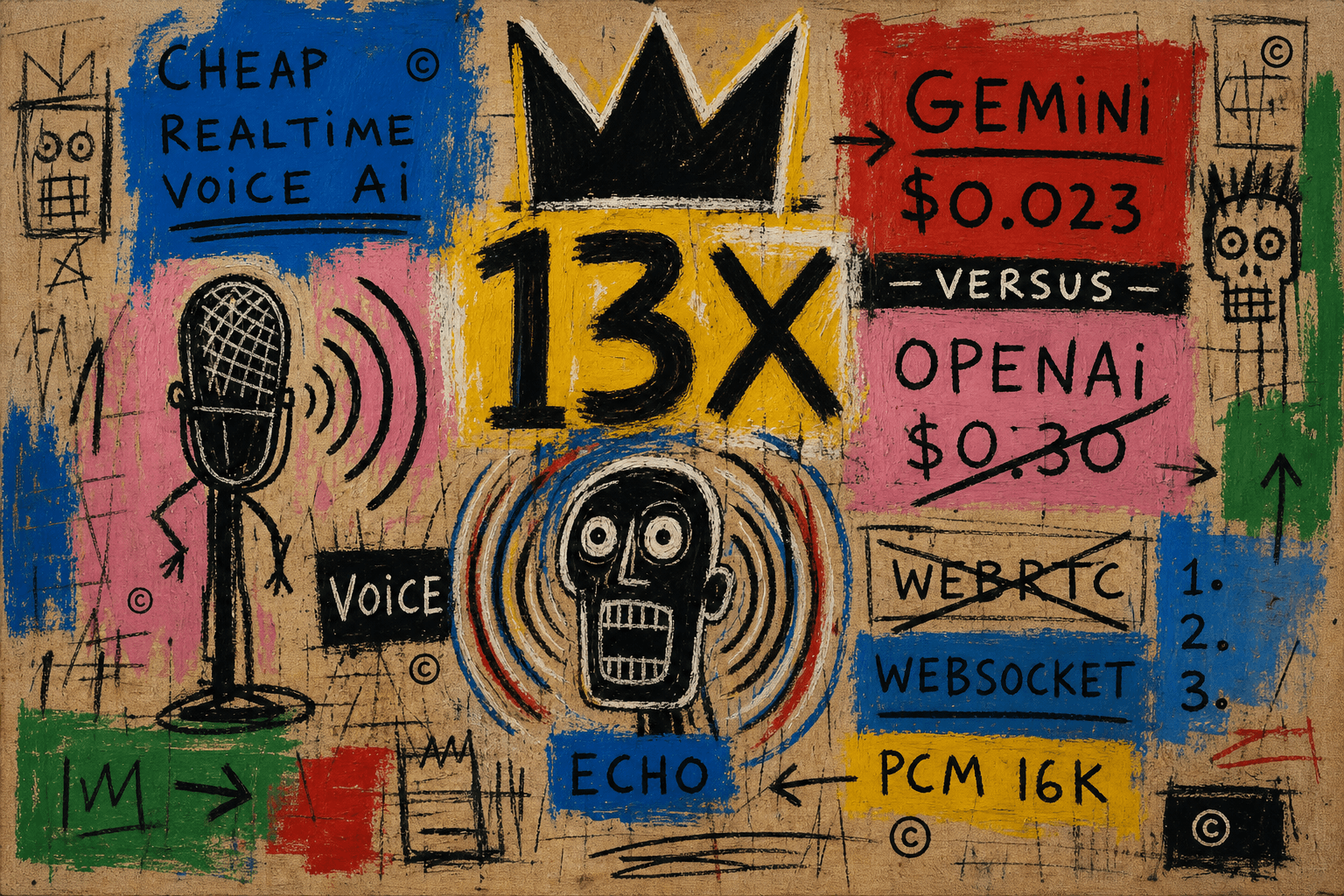
I'd already shipped realtime voice once. On OpenAI, in a different app — drop in their WebRTC component, point it at the API, and a user can talk to it. The audio just works, because OpenAI ships the whole media stack for you: echo cancellation, noise suppression, the jitter buffer, all of it.
Then I went to build voice into a new app, and the bill stopped me. OpenAI Realtime is about $0.30 a minute. For a consumer app that's a hole in the unit economics. Gemini Live is roughly thirteen times cheaper and the model is good enough. So I switched.
What nobody tells you is what you give up. OpenAI hands you WebRTC and it just works. Gemini doesn't do WebRTC at all — it's a raw WebSocket and 16 kHz PCM, and you build everything between the microphone and the ear yourself. This is the guide I wish I'd had: the working setup, and the two weeks of audio bugs it took to get there.
| OpenAI Realtime | Gemini Live 3.1 | |
|---|---|---|
| Cost per minute | ~$0.30 | ~$0.023 (~13× cheaper) |
| First-audio latency | ~250–350ms | ~600–900ms (a floor) |
| Transport | First-party WebRTC | WebSocket + raw PCM |
| Barge-in | response.cancel + truncate | interrupted — a notice, no flush |
| Echo cancellation | Free | You wire it yourself |
If that table makes the choice obvious for you, stop here. If thirteen times cheaper is worth some plumbing, keep going.
The cost is the whole reason
Here's the math that made the decision. OpenAI's realtime audio runs $32 per million input tokens and $64 per million output. That lands around $0.06 a minute to listen and $0.24 a minute to talk — call it $0.30 all in. Gemini 3.1 Flash Live is $3 and $12 per million, which the docs also quote per-minute: $0.005 in, $0.018 out. About $0.023 a minute.
A six-minute cooking session is $1.80 on OpenAI and $0.14 on Gemini. Multiply by any real number of users and that's the difference between a feature and a line item you can't defend.
I priced the alternatives too. ElevenLabs is lovely and far too expensive to hold a session open. A cascading pipeline — Deepgram to an LLM to Cartesia — lands around $0.05–0.08 a minute but you run more infrastructure. Gemini won on cost without adding a server to babysit.
One caveat that shapes everything below: the thirteen-times saving only survives on Gemini's direct path. The moment you front it with LiveKit or Pipecat for nicer transport, you've added always-on hosting that eats most of the win. So the rule for the rest of this is: direct WebSocket, raw PCM, no middleman.
The shape
The one idea that makes this safe and cheap: your server only mints a token. The audio goes straight from the app to Google.
①  app ──▶ server
   POST /voice/token

   server mints a one-use
   ephemeral token, with
   model + prompt + tools
   + VAD baked in

②  server ──▶ app
   the token

③  app ◀──▶ Gemini Live
   direct WebSocket
   16k PCM up · 24k down
No audio passes through your backend, so you pay no egress and add no latency. And the client never holds your API key — which matters more than it sounds, as the next section explains.
Three things that silently break the first connection
These cost me an evening each. None of them throw a useful error.
Mint an ephemeral token, and only on v1alpha. The client is user-controlled. If it carries your GEMINI_API_KEY, a user can rewrite your system prompt, swap the model, or call any tool you've defined. So the server mints a single-use token with everything it cares about baked in, and the client physically can't override it. The trap: ephemeral tokens are only accepted on the v1alpha API version. The default v1beta will happily mint you a token the socket then refuses.
import { GoogleGenAI } from "@google/genai";

// v1alpha is load-bearing — the v1beta default mints a token
// the Live WebSocket silently won't accept.
const ai = new GoogleGenAI({
  apiKey: process.env.GEMINI_API_KEY,
  httpOptions: { apiVersion: "v1alpha" },
});

export async function mintVoiceToken(config) {
  const token = await ai.authTokens.create({
    config: {
      uses: 1,
      expireTime: new Date(Date.now() + 30 * 60_000).toISOString(),
      newSessionExpireTime: new Date(Date.now() + 60_000).toISOString(),
      liveConnectConstraints: { model: MODEL, config }, // prompt, tools, VAD — locked
    },
  });
  return token.name; // "auth_tokens/abc..." — hand this to the client
}
The setup message still needs the model — even though the token locks it. This one is maddening. You send { setup: {} }, the socket opens, and then nothing. No greeting, no error, no setupComplete. The model name has to be present in setup anyway:
// Ephemeral tokens only work on v1alpha + the *Constrained* variant.
const ENDPOINT =
  "wss://generativelanguage.googleapis.com/ws/" +
  "google.ai.generativelanguage.v1alpha.GenerativeService.BidiGenerateContentConstrained";

// No URL-encoding on the token: the "/" in its name must reach the
// query string raw. Encode it to %2F and it's rejected without a word.
const ws = new WebSocket(`${ENDPOINT}?access_token=${token}`);
ws.binaryType = "arraybuffer"; // some gateways frame JSON as binary

ws.onopen = () => {
  ws.send(JSON.stringify({ setup: { model: `models/${MODEL}` } }));
};
Don't URL-encode the token. It's in the snippet above because it belongs with the others: the token name contains a / that has to survive into the query string intact. Encode it and the handshake fails silently. Three of the worst hours were spent here.
The config that works
This is the entire surface. The interesting part is what's missing.
import { Modality } from "@google/genai";

function makeLiveConfig(systemInstruction, tools) {
  return {
    responseModalities: [Modality.AUDIO],   // audio out only
    systemInstruction,
    tools,
    inputAudioTranscription: {},            // live captions, both sides,
    outputAudioTranscription: {},           // on their own channel
    speechConfig: {
      voiceConfig: { prebuiltVoiceConfig: { voiceName: "Zephyr" } },
    },
    // VAD: Gemini defaults. Deliberately no config — see below.
  };
}
Two notes. Pin the voice, or the API rolls a different one every session and your assistant has dissociative identity disorder. And there's no voice-activity-detection block, which is a reversal: I first ran low sensitivity with an 800ms silence tolerance to paper over messy audio. That tuning never fixed anything — it was a band-aid. Once I fixed the real problem (the audio engine, next section), I deleted all of it and went back to defaults, and barge-in got snappier. The lesson, which took me too long: don't tune your VAD to fix what's actually an echo problem.
The echo war
This took two weeks, and every bug traced to one root cause: two pieces of code fighting over one phone audio session.
First, I couldn't be heard. My first build ran a separate WebRTC getUserMedia call "for echo cancellation" next to the recorder. They starved each other — my voice came in at a tenth of its real volume and I was holding the phone to my mouth to be understood. (A meter on the mic chunks gave it away: 0.02, where real speech sits at 0.05–0.3.)
Then it started talking to itself. Input fixed, I hit something worse:
model said:  "mince 2 cloves…"
mic heard:   "mince two cloves"
That second line is the model's own voice, picked up through the speaker and transcribed as if I'd said it. The model heard itself, read it as my input, and looped — politely, forever. Two fixes that don't work: Gemini's proactivity flag (meant to ignore audio not aimed at the device — but recipe speech sounds aimed at the device), and half-duplex muting the mic while it talks (kills the loop and barge-in together).
What actually fixed it: switching to a single-engine audio library. Here's the part I didn't know. On iOS, echo cancellation only works when a single AVAudioEngine owns both the mic and the speaker — that's Apple's design. My setup used two libraries, one for capture and one for playback, so there were two engines and the canceller never got the reference signal it needs to subtract the speaker out of the mic. No config or VAD setting fixes that; the architecture is wrong. So I dropped both libraries and switched to @speechmatics/expo-two-way-audio, which is built around the one-engine pattern — voice-processing on, capture and playback through the same graph. That swap is what ended the war: echo cancellation just works, which means real, full-duplex barge-in with no muting hack. Not the proactivity flag, not the VAD tuning — the library switch.
One detail that follows from that choice: the library runs at 16 kHz in both directions, but Gemini replies at 24 kHz. So you have to resample its output down to 16 kHz before playback — linear interpolation is plenty for voice.
// 24k → 16k, ratio 2:3. Voice is band-limited well under the
// 8 kHz Nyquist, so plain linear interpolation is fine.
function resample24kTo16k(input) {
  const out = new Int16Array(Math.floor((input.length * 16000) / 24000));
  const step = 24000 / 16000; // 1.5
  for (let i = 0; i < out.length; i++) {
    const src = i * step, j = Math.floor(src), frac = src - j;
    const a = input[j], b = j + 1 < input.length ? input[j + 1] : a;
    out[i] = Math.round(a + (b - a) * frac);
  }
  return out;
}
One last caveat: Gemini's interrupted event is just a notification — there's no "stop the audio you already queued" like OpenAI's response.cancel, so the buffered audio plays out. With real echo cancellation it's a non-issue in practice.
The latency you can't fix
Gemini's first audio lands in ~600–900ms. OpenAI's lands in ~250–350ms. That gap is the model's floor — no setting tunes it away, and you feel it on every turn.
I looked hard at closing it: swap the hand-rolled socket for WebRTC (LiveKit plus a worker) to get smoother, faster audio. I dropped the idea — that worker has to run around the clock, and there's nowhere cheap to host it that doesn't erase the cost win this whole project was for. Rebuilding the transport spends the savings you came for.
So I took the cheap wins instead — gemini-3.1-flash-live-preview, thinking budget off — and it went from "noticeably worse" to "really good." You trade about half a second per turn for paying a tenth as much. That's the deal.
Make it speak first
Last one, and it's small but it's the difference between "feels broken" and "feels alive." On connect, the model says nothing until you speak. And telling it to greet you first in the system prompt does nothing — 3.x ignores it.
The fix has two halves. Right after setupComplete, send a synthetic user turn:
function onServerMessage(m) {
  if (m.setupComplete ?? m.setup_complete) {
    // A complete user turn — turnComplete forces the model to respond.
    // Note: clientContent, not realtimeInput.
    ws.send(JSON.stringify({
      clientContent: {
        turns: [{ role: "user", parts: [{ text: "<session_start>" }] }],
        turnComplete: true,
      },
    }));
  }
}
Then the system prompt teaches it what the marker means: the first message is the literal text <session_start>, that's the client starting the session and not the user, open with one short line and then wait, and never say "session start" out loud. The synthetic turn is the trigger; the prompt controls what actually comes out.
So which should you use?
Reach for OpenAI Realtime when latency is the product — live agents, heavy back-and-forth — when you want WebRTC and the whole media stack for free, and when cost isn't the binding constraint.
Reach for Gemini Live when cost dominates, when the task tolerates a half-second to a second of response time, and when you're willing to own the audio stack.
OpenAI is the easy, expensive default. Gemini is the cheap, capable one that makes you do the plumbing — and the plumbing was most of this post. The one piece of received wisdom I'd push back on: on iOS, the gap between WebRTC and raw PCM for echo cancellation is smaller than the internet makes out, because React Native's WebRTC just delegates to the same Apple voice-processing unit you can turn on yourself. The real WebRTC advantage shows up on Android. If you're iOS-first and cost-sensitive, Gemini is a better deal than the discourse suggests.
Frequently asked
Why hand-roll the WebSocket instead of using the @google/genai SDK?
You can — but it fights React Native. @google/genai has no react-native build target and depends on ws, the Node WebSocket library, which pulls in Node core modules (net, tls, stream) that Metro can't bundle cleanly. React Native already has a perfectly good global WebSocket, and the Live protocol is small JSON over a socket, so rather than fight the resolver I hand-rolled the client — it also keeps the wire shape easy to debug. Two things to watch on the receive side: the server emits keys in either snake_case or camelCase depending on the model, so read both on every field; and tool calls arrive in two shapes — 2.5 puts them at the top level, 3.1 tucks them inside the model's turn next to the audio — so collect from both or you'll miss half of them.
Is the 13× cost difference real, or a headline?
Real, at list price as of mid-2026. OpenAI's realtime audio is $32 and $64 per million tokens; Gemini 3.1 Flash Live is $3 and $12. Per minute that's roughly $0.30 against $0.023. The one asterisk that applies to both: each turn re-bills the session context, so a long idle session creeps on either provider. OpenAI's cached-input rate is the one big lever on its side if your usage is heavily prompt-cached.
How do tools and function-calling work?
Declare the functions in the config you bake into the token, and run the handlers client-side, routing into whatever your app already does — so a voice-created timer is the same object a tapped one would be. The one reliability rule worth stating: make the model's view and the on-screen list read the same source of truth, or it'll cheerfully "add" things the user never sees. And wrap the dispatch so a thrown handler returns an error object to the model instead of killing the socket — it recovers in conversation.
What happens when the app backgrounds or the phone rings?
The session ends, on purpose. The socket doesn't survive a backgrounded React Native app, and a stuck UI with no recovery is worse than a clean exit — so I tear down rather than try to resume. Hold a keep-awake lock while a session is live so the OS doesn't dim or kill it mid-conversation. On Android, grant the microphone permission at runtime before you start recording or the recorder fails to initialize. And treat a phone call or Siri as an audio interruption that ends the session gracefully.